Tools & Automations
image-luminescence
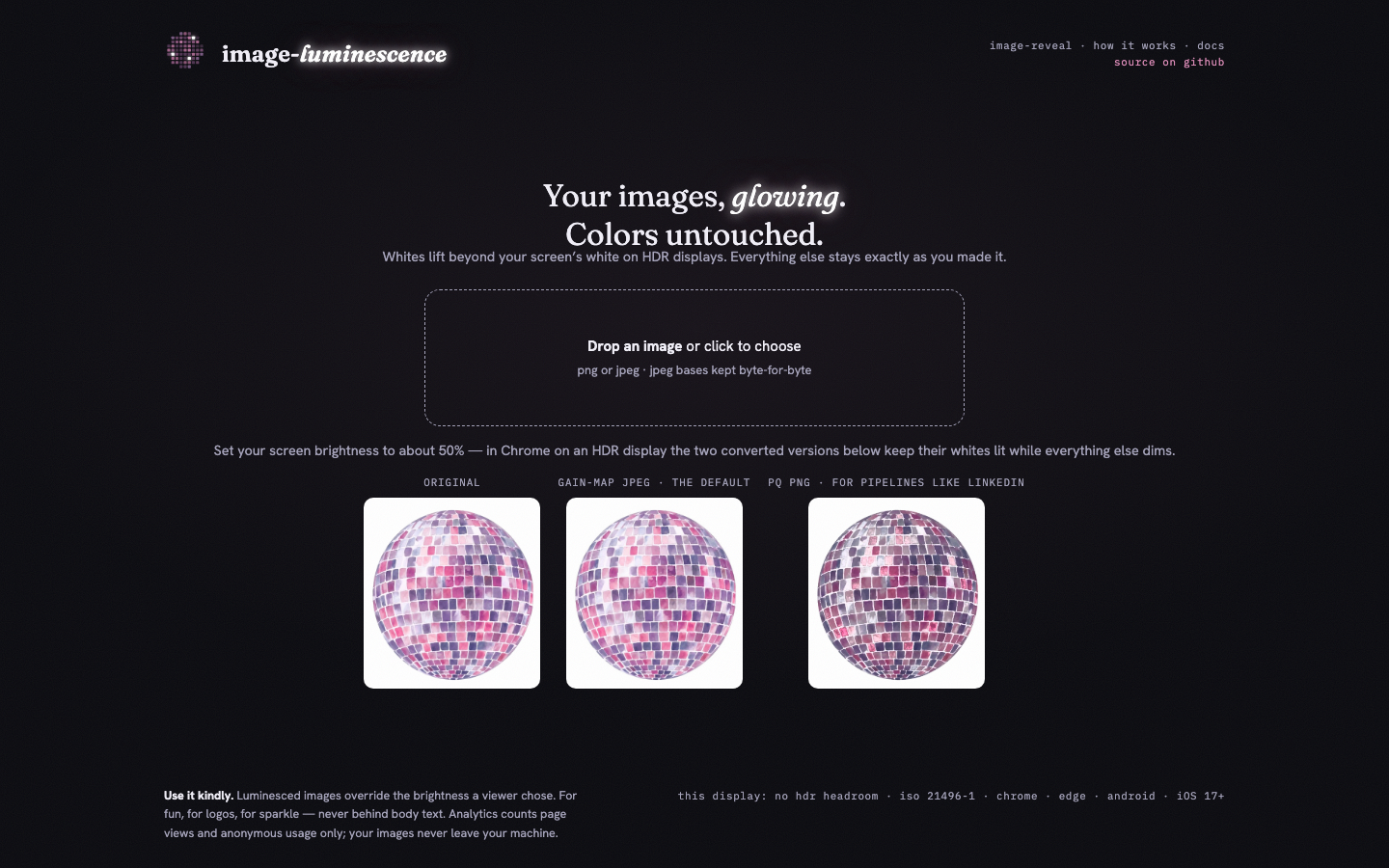
A free browser tool that makes images glow on HDR displays without touching a single color.
JavaScriptPythonUltra HDRISO 21496-1HomebrewGitHub Pages
- Converts any PNG or JPEG into a glowing Ultra HDR file, entirely in the browser, no uploads
- A real Homebrew package: brew tap kwicz/tap && brew install image-luminescence
- Colors stay pixel-exact, and JPEG bases are kept byte-for-byte
- image-reveal packs two pictures into one file: SDR screens see one, HDR screens see the other
- PQ PNG mode for pipelines that strip gain maps (field-tested on LinkedIn)
- Plus pip install, a Figma plugin, and a Finder quick action
I saw a company logo on LinkedIn that glowed. Not sparkle-emoji glowed, actually glowed, like someone left a backlight on behind it while the rest of my screen minded its own business. I needed to know how, and then I needed my own images to do it without wrecking their colors, which is what every existing trick did.
So this is a little converter that runs entirely in your browser. Drop in a PNG or JPEG and it comes back as an Ultra HDR file where the whites lift beyond your screen's normal white on HDR displays. Your pixels never get touched. The glow travels as a gain map, a hidden grayscale layer riding along in the file, so anywhere HDR isn't supported the image just looks normal. The site never uploads anything; the conversion math happens on your machine, in JavaScript that writes the ISO 21496-1 container byte by byte.
It's also a proper Homebrew package, which I'm unreasonably pleased about. `brew tap kwicz/tap && brew install image-luminescence` puts three commands on your PATH with every dependency handled, the way real tools install.
The part I'm most fond of is image-reveal. It turns out nothing forces the gain map to describe the same picture, so you can pack two different images into one file. SDR screens see the first, HDR screens see the second, and thumbnails always show the first. As far as I can tell, nobody else has built a tool for this.
Getting here involved a lot of empirical color science: reverse-engineering byte layouts from working files, discovering that macOS Preview and Chrome disagree about what a gain map means, and learning the hard way that LinkedIn strips one HDR format but passes another straight through. The docs now say exactly which format survives where, because I tested every one of them by posting increasingly weird disco balls.
6 reviews
What people say.
5.0
★★★★★
6 written reviews
A collaborator you keep coming back to
Intuitive, collaborative, and helpful — Katy knows how to solve your problem and has consistently provided numerous sources of knowledge and personal growth. Katy wants everyone around her to excel and goes out of her way to help people find their strengths. I would jump at the opportunity to work with her again.
Positivity, wit, and creativity
Few people I've worked with in my professional career have brought as much positivity, wit, and creativity to the job. I've found her to be driven, adaptable, passionate, and able to focus on the details while not losing sight of the mission. Her professionalism and empathy make her a true joy to work with.
Curiosity and ambition on every project
...is an incredible collaborator, always bringing curiosity, ambition, and a can-do attitude to every project.
Goes well with